Editing text inside the Webflow Editor is very simple. Here are the steps:
- Hover your mouse over any text on the page.
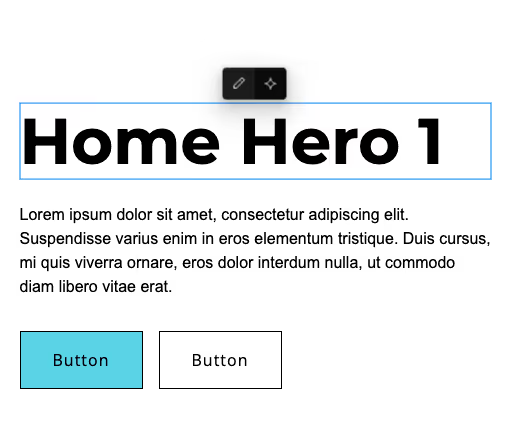
Editable text will highlight with a blue outline. - Click directly on the text. Two icons will appear. Click on the pencil icon to edit. You can also use the AI tool to write text.
- Type your changes.
- Click outside the text box to save your edit.
The change is now saved as a draft.
Publishing Your Changes
After you're done editing the text, click Publish (top-right corner).
Your updates will not appear on the live website until you publish.
Previous lesson:
Next lesson: