All lessons
Replacing & Adding Images
See how to swap out old pictures or upload new ones to keep your site fresh.
Swapping images inside the Editor Mode is very simple. Here are the steps:
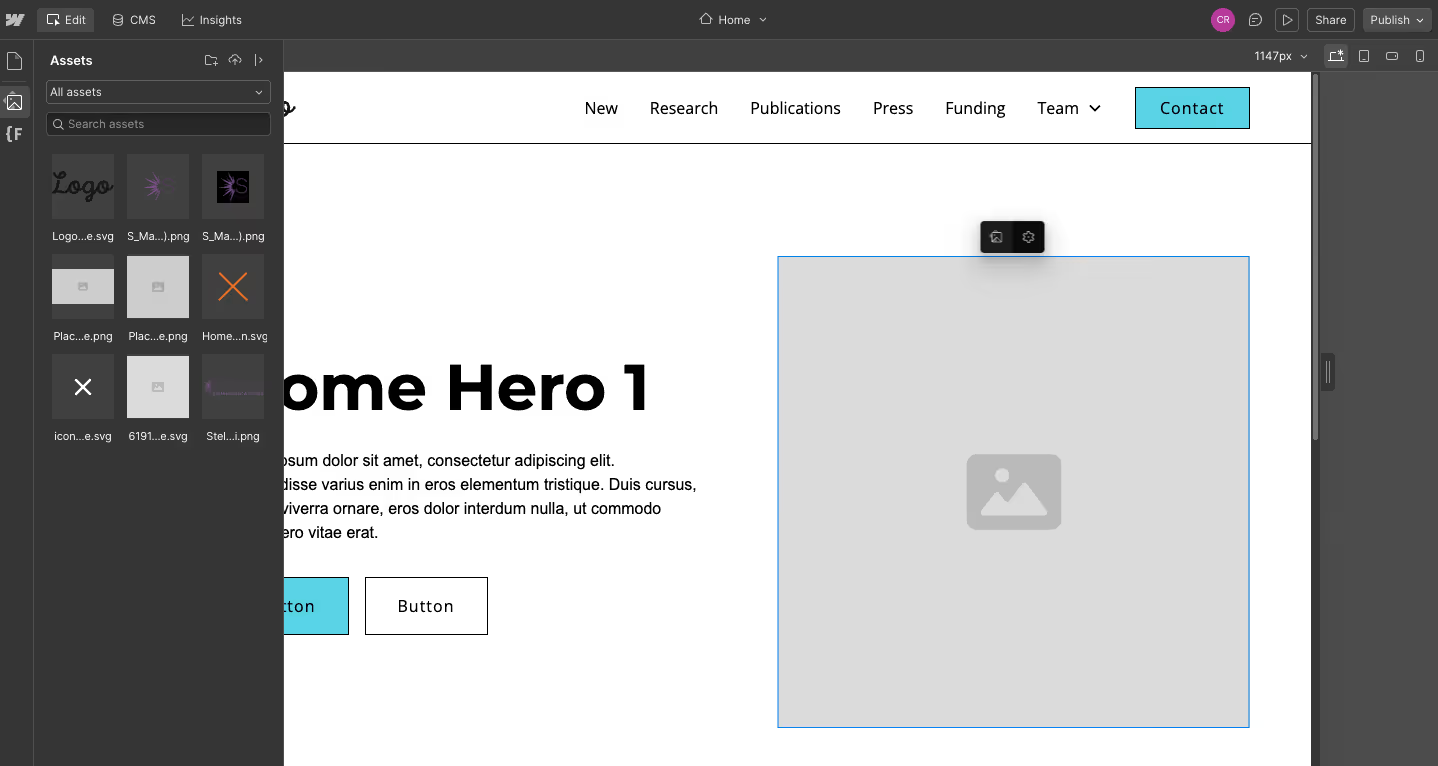
- Click on the image you want to change
- Two icons will appear. The gear icon will bring up the image settings which you do not need. Click on the image icon.
- This will open up your assets panel. You can select an image from your already uploaded assets, or upload a new one by clicking on the upload icon at the top of the panel.
- Select an image from your library and upload it.
Common Mistakes to Avoid
- Forgetting to publish — edits stay saved as drafts until you publish.
- Uploading extremely large images — large files can slow down your site.
- Replacing images with the wrong dimensions — try to match the original orientation (horizontal vs. vertical).
Use our image sizing guide if you need help on how to size images before uploading.
Previous lesson:
Next lesson: