All lessons
Saving & Publishing Changes
How Webflow handles saving your progress and how to publish your edits to the live site.
Any changes you make in Webflow are saved automatically as you work. However, these changes will not show on your live site until you publish them.
Publishing Your Changes
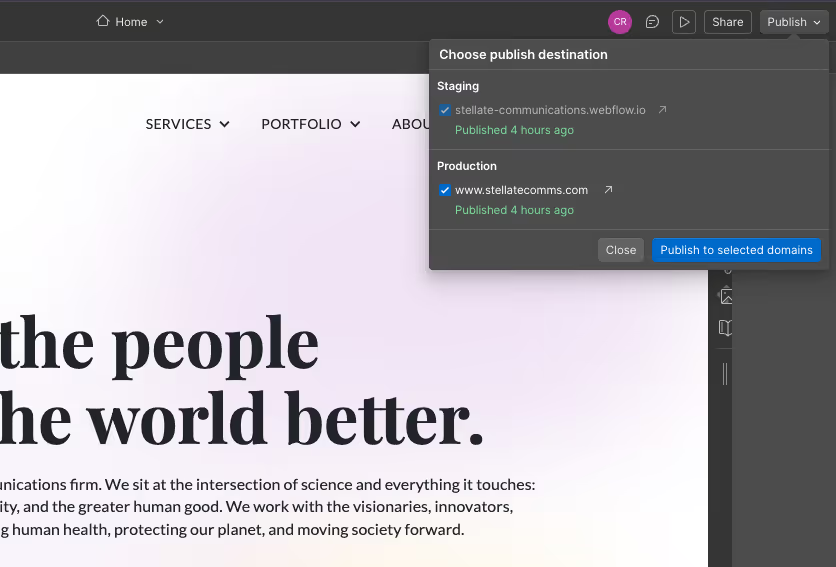
- When you're ready to make your updates public, click the Publish button in the top-right corner of the Designer.
- A menu will appear showing the domains you can publish to:
- Your staging domain (example: yoursite.webflow.io)
- Your live site domain (your real website URL)
- Make sure the box for your live site domain is checked.
- Click Publish to send your updates live.
Tip: Using the Staging Domain
The staging domain lets you preview your changes before publishing them.
This is useful if you want to:
- Double-check your edits
- Get approval from your team
- Review layout or content adjustments privately
Anything published to the staging domain is not visible on your live website.
Previous lesson:
Next lesson: